If you've ever returned from the store without 'that one' milk or ran between departments because of a chaotic list, you're not alone. The problem usually isn't memory or willpower, but structure: the list is written haphazardly, while the store is organized by departments.
The good news: you only need to set up a shopping list by departments once—and organizing your shopping will become noticeably easier. You'll follow a clear route, find what you need faster, make fewer impulse purchases, and spend less time pondering at the shelves.
Below is a practical way to turn an ordinary list into a 'pocket map' of the store. Suitable for supermarkets, hypermarkets, and even small neighborhood stores.
Why Divide the List into Departments: Speed, Budget, and Peace of Mind
A categorized list isn't just 'neat.' It directly affects your time in the store and the quality of your purchases because it aligns with the store's product layout logic.
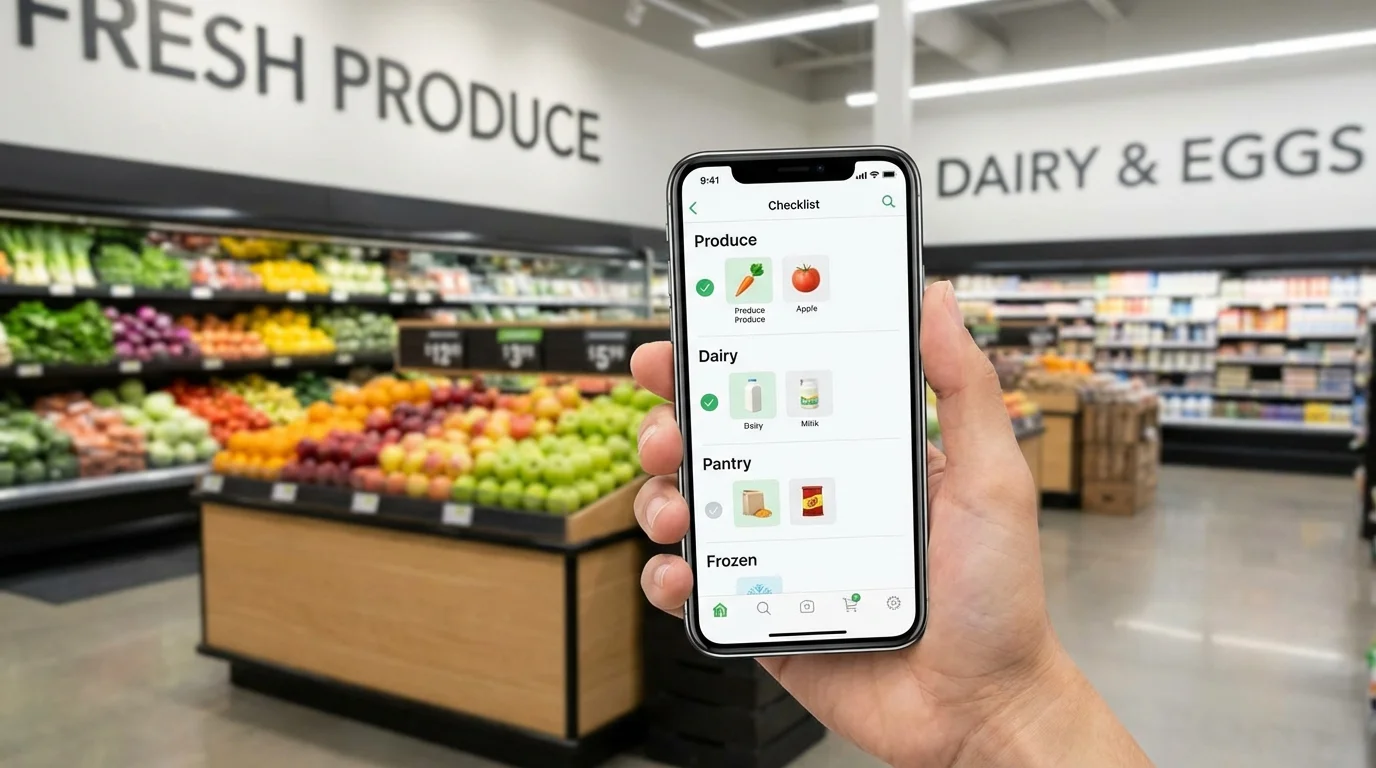
When items are grouped by department, you move through the store linearly: entrance → produce → dairy → groceries → checkout. The result is quick shopping without unnecessary backtracking or repeated stops.
There are also budget benefits. The less you wander, the less you catch your eye on random 'specials,' and the easier it is to stick to your plan.
- Time-saving: fewer returns to already visited zones.
- Fewer forgotten items: you check each department against the list.
- Easier to delegate: one person handles fruits and vegetables, another handles household chemicals.
Build the List 'Skeleton': Basic Departments That Suit Almost Everyone
Start with universal blocks. Don't try to create a perfect system of 20 categories right away—it will hinder rather than help. It's better to have 8–12 departments that repeat from week to week.
Here's a convenient set you can adapt to your store:
- Fruits and Vegetables
- Greens, Mushrooms
- Dairy Products and Eggs
- Meat, Poultry, Fish
- Bread and Baked Goods
- Groceries (cereals, pasta, flour, sugar)
- Canned Goods, Sauces, Spices
- Frozen Foods
- Beverages
- Snacks and Sweets
- Household Chemicals and Hygiene
- For Home/Other (batteries, bags, pet food, etc.)
If you often buy ready-made meals, add a separate 'Deli/Ready Meals' block. If the store has a separate 'coffee zone' or 'healthy food' section, you can create an additional department, but only if you actually use it.
Customize the Department Order to Match Your Store's Route
The key to making shopping organization work is the correct sequence. In one supermarket, produce comes first; in another, it's bread; dairy might be at the very end. Therefore, it's important not only to divide the list by categories but also to arrange them in the order you walk through the store.
Do this once: on your next trip, just adjust the items, while the structure remains the same.
How to quickly determine the route:
- Recall which departments you pass right after the entrance and before the checkout.
- Note the 'distant' zones (often dairy, meat, beverages)—it's better to cover them in one go.
- Place 'heavy and bulky' items closer to the end (water, detergent) so you don't cart them around the entire store.
A common mistake is putting 'frozen' and 'dairy' at the beginning and then walking around with cold products for a long time. It's wiser to leave them closer to the end if you're not using a thermal bag.
Another practical tip: add a 'Check Before Checkout' department at the end. This is for small items that are easy to forget: napkins, batteries, trash bags, gum, pet food.
Filling Rules: How to Write Items to Avoid Pondering at the Shelf
Even perfect categories won't save you if the items on the list are too vague. 'Yogurt' means 5–10 minutes of choosing, and sometimes an extra purchase. The more precise the wording, the faster the shopping.
Use a simple formula: product + specification + quantity. Specification can be brand, fat content, flavor, format, or purpose.
Examples that speed up selection:
- 'Milk 2.5% — 2 L' instead of 'milk'
- 'Sugar-free yogurt, 4 pcs' instead of 'yogurt'
- 'Chicken thighs, 1.5 kg' instead of 'chicken'
- 'Basmati rice, 1 pack' instead of 'rice'
If you're shopping 'for the week,' it's useful to link the list to your menu right away. Then, the 'vegetables' department will contain specific items for salads and side dishes, and 'groceries' will have the needed cereals and spices, without unnecessary 'just in case' items.
Another life hack for quick shopping is notes in parentheses. For example: 'Cheese (for pasta)' or 'Tomatoes (for salad).' This reduces the risk of picking the wrong type of product.
Pre-Departure Checklist: 60 Seconds That Save Half an Hour
To ensure the categorized list works consistently, a quick check is helpful. This is especially important for joint shopping: one person adds products, another goes to the store.
- Check that each item has a department (or is placed in 'other').
- Specify the quantity and format (grams, pieces, liters).
- Move 'cold' items closer to the end of the route.
- Add 'heavy' items at the end (water, pet food, detergent).
- Highlight 3–5 priority items if time is short.
- Leave room for 'if there's a good price'—but as a separate item to avoid bloating the list.
If you often visit the same store, save the department order as a template. Then next time, you just add items—and the system itself guides you along the route.
How to Maintain the System: Fewer Categories, More Repetition
The most convenient system is one that's easy to maintain. If categories are too fragmented, you'll stop using them and revert to chaos. It's better to combine than to complicate.
Focus on repetition. If the 'Asian sauces' department appears once every two months, it's more logical to keep it within 'sauces/spices' rather than as a separate block.
Conversely: if you constantly buy coffee, tea, and filters, it makes sense to create a separate 'coffee/tea' department so you don't have to search for these items among groceries.
Consider joint shopping separately. When several people manage the list, it's important that everyone adds to the same structure. Then, in the store, you won't have to 'decipher' what was meant, and shopping organization will be equally clear for everyone.
Conclusion. A categorized list is a simple way to turn a store trip into a clear route: you go through departments, check off block by block, and don't waste time on unnecessary backtracking. Add precise wording and a short pre-departure checklist—and quick shopping will become the norm even in a large supermarket.
If you manage the list with family or roommates, it's convenient when it syncs in real time and remains structured by departments. For this format, you can use Pickt—a free mini-app in Telegram for shared shopping lists: t.me/PicktBot/app.