How to Share a Shopping List Between Two Phones Without Confusion
To share a shopping list between two phones without confusion, create one shared list, enable real-time synchronization, agree on rules (categories, markings, "who takes what"), and use a "bought" mark instead of deletion. This usually takes 6 steps and 10–15 minutes, after which both phones see the same up-to-date list.
Below is a practical step-by-step plan that works for couples, families, and roommates. It also helps if you're searching for "how to maintain a shared shopping list for two", "how to sync a shopping list on two phones", or "shared shopping list in Telegram".
Step 1. Choose One Shared List (Not Two Separate Ones)
The main source of confusion is two lists: one in your notes, another with your partner, plus chat messages. As a result, some items are duplicated, some are forgotten, and "I wrote it" doesn't help.
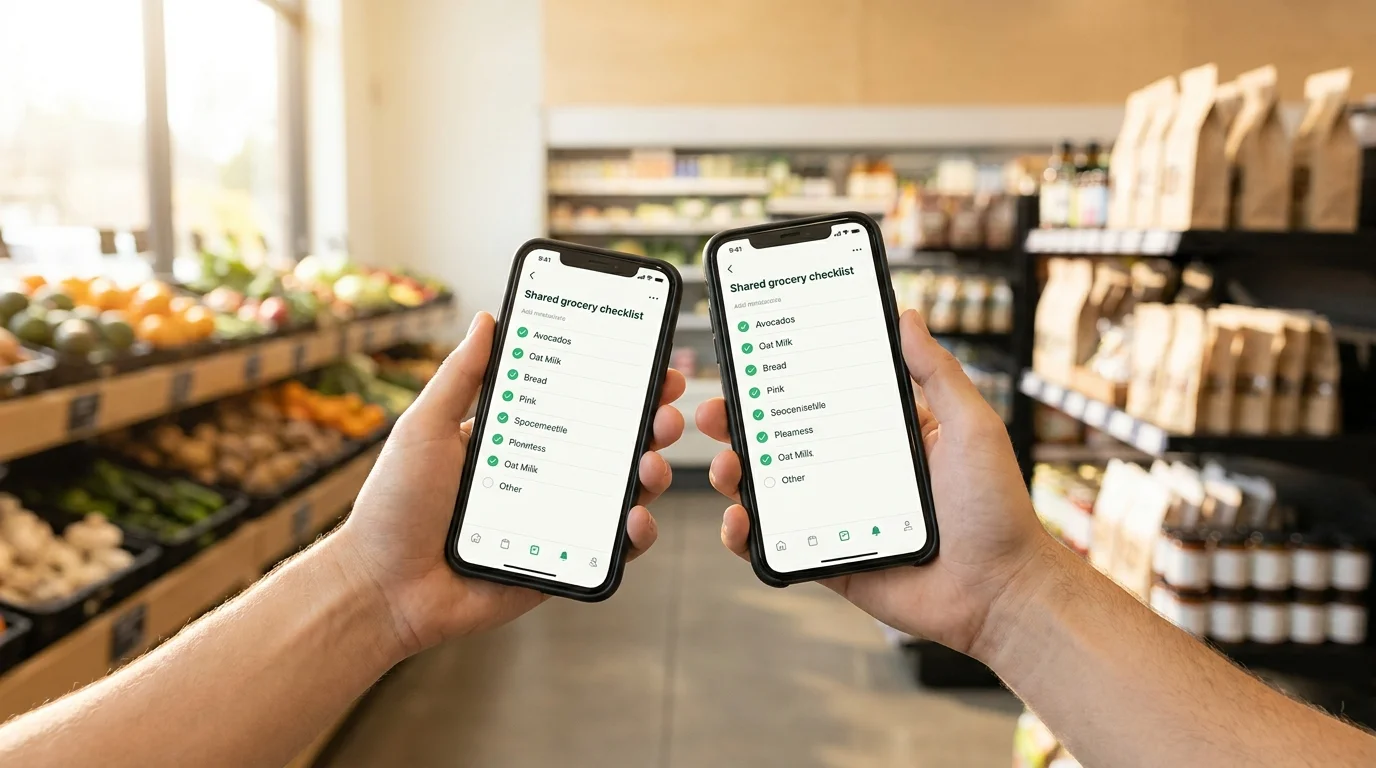
The correct foundation is one shared list that is open on both phones and updates instantly. This could be an app with shared access or a mini-app in a messenger — the key is that changes are visible to both without forwarding or screenshots.
Quick Check Before Starting
- Do both phones see the same list?
- Do changes appear for the second person immediately or almost immediately?
- Can you mark items as "bought" without deleting them?
If the answer to at least one question is "no", you are almost guaranteed to face confusion at the checkout.
Step 2. Set Up Shared Access and Real-Time Synchronization
To avoid figuring out "who added what", the shared list should sync automatically. This is especially important when one person is already in the store and the other suddenly remembers salt, pet food, or batteries.
- Create a shared list and ensure it is accessible on both phones.
- Open the list simultaneously on both devices and test it: add 1 item and check that it appears for the second person.
- Check the internet: if the connection is unstable, agree not to make bulk edits "on the go", but only add new items.
A convenient option for many is a shared shopping list directly in Telegram. For example, Pickt — a free mini-app (Mini App) for shared lists with real-time synchronization; it can be opened via the bot @PicktBot or at the link t.me/PicktBot/app. This eliminates the problem of "we have different apps" — Telegram is enough.
Step 3. Agree on Rules: How to Add, How to Mark, How Not to Break the List
Even with perfect synchronization, confusion arises from different habits: one writes "milk", another writes "milk 2.5% 2 pcs", a third deletes items instead of marking them. You need simple common rules that don't require accountant-level discipline.
Basic Rules That Are Actually Followed
- Add specifically: "Milk 2.5% — 2 pcs", "Eggs C1 — 10", "Chicken fillet — 1 kg".
- Don't delete, mark as "bought": this way it's clear that the item was there and has been taken.
- One item per line: don't mix "vegetables: tomatoes, cucumbers, salad" in one line.
- If in doubt, add a comment: "any sugar-free pasta" or "brand doesn't matter".
These rules directly answer the query "how to share a shopping list between two phones without confusion": you reduce ambiguity and keep a history of actions.
Step 4. Divide Responsibility: Who Buys What (and How It's Visible in the List)
When both go to the store or one stops by on the way, it's important to quickly understand who is responsible for what. Otherwise, you'll buy two loaves of bread and forget trash bags.
- Choose a marking method: emojis, initials, or short tags at the beginning of the line (e.g., "A:", "I:").
- Agree on the logic: "A — dairy and bread", "I — household items and vegetables", or "whoever is closer to the section takes it".
- If one person buys, the other is responsible for additions: they only add to the list, not change what's already marked.
Examples That Reduce Duplication
- "A: hard cheese — 200 g"
- "I: laundry detergent — 1 pack"
- "(any) bananas — 1 kg"
If you use a service where you can assign a person or visually separate items, it's even more convenient. But even a simple text mark already significantly reduces the chance of buying the same thing twice.
Step 5. Group the List by Store: Categories and Walkthrough Order
Confusion isn't just duplicates, but also running around the store: you mark something as "bought", then see "more milk" because the list is chaotic. Categories turn the shared list into a route.
- Create 6–8 categories: Vegetables/Fruits, Dairy, Meat/Fish, Groceries, Frozen, Household, Kids/Pets, Other.
- Write items directly into the correct category or add a prefix (e.g., "[Dairy] yogurt — 4 pcs").
- Follow the store's layout: this way you return less often and miss items less frequently.
This step especially helps those searching for "how to maintain a shared shopping list for two" so that it is convenient in the store, not just at home.
Step 6. Use "Confusion Control": Final Check Before Checkout and After Purchase
Even with a good list, mistakes happen at two points: before checkout (something is forgotten) and after checkout (unclear if it was bought or not). A short 30–60 second ritual is needed.
- Before checkout, quickly scroll through the list and check only two things: are there any unmarked items and are there any duplicates (e.g., "bread" and "toast bread").
- After purchase, don't clear the list immediately: leave items marked as "bought" until you get home, so the other person can see the result.
- Once a week, do a "reset": delete marked items or move them to a "basic purchases" template (if you keep one).
If you share purchases with a partner or roommates, this step addresses a typical problem: one already bought it, but the other didn't understand and bought it again.
Conclusion: To share purchases between two phones without confusion, you need one shared list, instant synchronization, clear rules for adding and marking, and simple responsibility distribution. This is set up once and then saves both time and money.
If you prefer to handle this in a familiar environment, you can maintain a shared list directly in Telegram — for example, via Pickt (Mini App) with real-time synchronization: t.me/PicktBot/app.
Frequently Asked Questions
How to sync a shopping list on two phones if one is Android and the other is iPhone?
Choose a solution that works the same on both platforms and stores the list in the cloud. Then it doesn't matter what OS: both phones see one shared list, and updates come automatically.
What's better: a shared list in notes, a spreadsheet, or a messenger?
Notes often have delays and version conflicts, spreadsheets are inconvenient in the store, and a messenger turns into a stream of messages. Best is a specialized shared list with "bought" marks, categories, and shared access; in Telegram, this can be a Mini App.
How to avoid duplicates if both are buying simultaneously in different stores?
Implement the rule "whoever takes it marks it as bought immediately" and add responsibility marks (initials/tags). Before going to checkout, each person does a quick check of unmarked items in their categories.
Do I need to delete bought items from the list?
At the time of purchase — no: it's better to mark them as "bought" so the other person sees that the item is closed. It's more convenient to delete or clear the list later, at home or once a week, when you form a new list.