Fridge Inventory: How to Keep a Home Stock List
Fridge inventory is a simple list of products and their expiration dates that helps you see your stock, plan purchases, and avoid throwing away food. You can set up a working system in 5 steps, taking about 20–30 minutes initially, and then maintain it for 2–3 minutes a day. Below is a practical step-by-step guide: how to conduct an audit, how to organize storage, and how to keep a home grocery list that actually gets updated.
If you often buy too much, forget about products in the back corner, or argue at home about "who was supposed to buy milk," you don't need perfect order—you need a clear process. It works equally well for a family, a couple, or roommates.
Step 1. Prepare the "Skeleton" of the Inventory: Categories and Rules
To prevent your fridge inventory from turning into an endless table, set a simple structure in advance. The fewer categories, the higher the chance you'll maintain the home stock list.
1) Choose 6–8 Categories
- Vegetables and herbs
- Fruits and berries
- Dairy and eggs
- Meat/fish/poultry
- Prepared meals and semi-finished products
- Sauces/spreads/add-ons
- Frozen foods
- Beverages
For the pantry, you can add a separate "groceries" block, but this article focuses specifically on fridge and freezer inventory.
2) Introduce 3 Short Rules
- Record only what can run out or spoil. Spices and "eternal" sauces can be ignored.
- Include the minimum: product + quantity/status + expiration date (if important). For example: "yogurt — 2 pcs — until 06/12."
- Update immediately upon action: bought — added, used — reduced/crossed out.
These rules make tracking products in the fridge quick, not bureaucratic.
Step 2. Conduct a Starting Audit in 10 Minutes (Without Perfectionism)
The initial fridge inventory is needed to "take current readings" and stop guessing what you have. Don't try to write everything down perfectly down to the gram—a clear picture is enough.
- Clear one shelf/counter. Temporarily place the products you're checking there.
- Check expiration dates and condition. Anything questionable goes into a separate "eat today/tomorrow" or "throw away" group.
- Record leftovers in broad strokes. "Milk — 1," "cheese — a piece," "chicken — 2 thighs," "dumplings — 1 pack."
- Separately mark "almost finished." This will be your future shopping list.
If there are several people at home, assign one as the "list dictator" and another as the "shelf scanner." This way, the audit really takes 10 minutes, even if the fridge is packed.
Step 3. Organize Storage So the Inventory Updates Itself
The most common reason why tracking products in the fridge "breaks down" is that products are physically stored chaotically. When you can't see the food, you forget about it, even if you have a list.
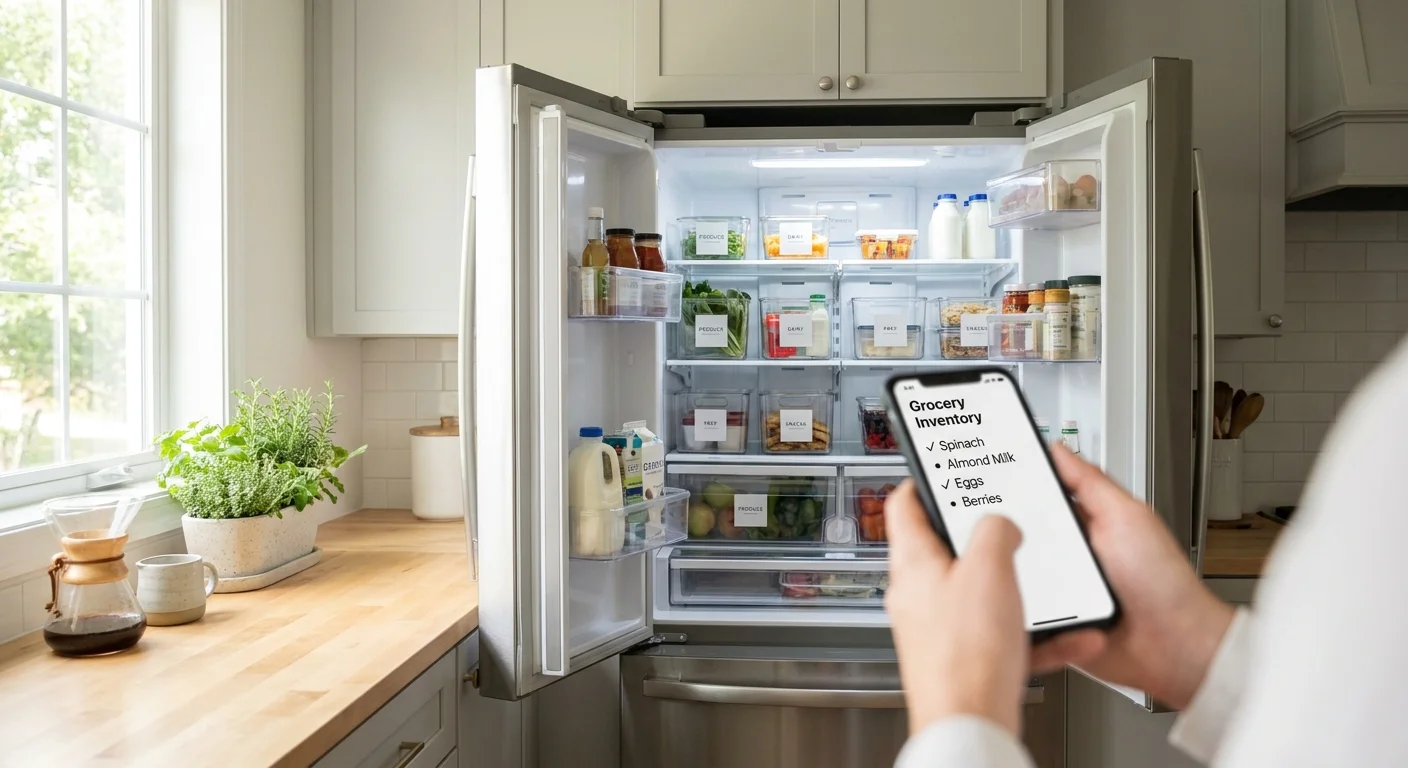
Create 3 Zones That Anyone Can Understand
- "Eat First" Zone. One shelf or container: everything with a 1–3 day shelf life, open packages, prepared meals.
- "Weekly Stock" Zone. Main products: dairy, meat, vegetables that you will definitely use.
- "Long-Term Storage/Freezer" Zone. Freezer and lower compartments: things you don't need right now.
Add a simple habit: after shopping, put new products at the back and older ones closer to the door. This is the FIFO principle (first in — first out), which drastically reduces waste and spoilage.
Mini-Labeling That Actually Works
- On containers with prepared meals, write the preparation date (with a marker on painter's tape).
- On frozen items, note what's inside and the freezing date: "mince 06/12."
This way, the fridge inventory becomes not just a list but also a visual system.
Step 4. Keep a Stock List: Simple Format and 30-Second Updates
Keeping a home grocery list is convenient when it's always at hand and can be updated on the go. Ideally, the list is shared so no one buys duplicates and everyone sees changes.
What Fields Are Needed in the List
- Product name.
- Quantity or status. "1 package," "half," "running out."
- Expiration date/priority. "until 06/14" or a label "eat today."
Don't overcomplicate: if you're not ready to record expiration dates for everything, only note them for risky items—dairy, prepared meals, fish, cold cuts.
How to Update the List Without Stress
- After shopping: add new items and mark that they need to be sorted into zones.
- During cooking: if a product runs out, immediately move it to "buy."
- Once a day: quickly glance at the "eat first" zone and adjust priorities.
If you keep a shared list, it's convenient to use a mini-app in Telegram that syncs in real time. For example, in Pickt, you can maintain a joint stock and shopping list so family or roommates see updates immediately, without forwarding messages or "I thought you'd buy it." Link: t.me/PicktBot/app.
Step 5. Turn the Inventory into a Meal Plan and Shopping List (The Most Useful Part)
The value of a fridge inventory isn't that "everything is recorded," but that it helps you make decisions: what to cook and what to buy. It's the link "tracking products in the fridge → menu → shopping."
Weekly 10-Minute Mini-Ritual
- Open the "Eat First" zone. List 3–5 products that need to be used.
- Assemble 2–3 dishes from what you already have. Example: "chicken + vegetables," "pasta + sauce + cheese," "omelet + herbs."
- Create a shopping list based on the principle of "buy to complete the dishes." Not "just in case," but for specific dinners/breakfasts.
This naturally reduces spending and stops you from accumulating "random" products. Plus, it becomes easier to eat a varied diet: you start from your actual stock, not from inspiration at the store.
Tip: The "One In, One Out" Rule
To keep the fridge from expanding, introduce a simple limit: when buying a new product in a category, try to use the old one first. For example, before getting a new sauce, finish the open one; before buying more cheese, check how much you already have.
Step 6. Maintain the System: Daily and Weekly Checklists
Fridge inventory shouldn't require willpower. It relies on short, repetitive actions that take less time than a trip to the store for "forgotten" items.
Daily (2–3 minutes)
- Quickly check the "Eat First" zone.
- Note what's finished and move it to the shopping list.
- Check breakfasts/snacks: is there yogurt, eggs, fruit?
Once a Week (10–15 minutes)
- Mini-audit of shelves: what's hiding in the back, what's about to spoil.
- Check the freezer: what's been there for more than 2–3 months.
- Plan 2–3 dishes from what needs to be used.
If the list is shared, agree on roles: whoever cooks more often updates the "eat first" zone; whoever does most of the shopping manages the shopping list. In Pickt, it's convenient to do this in one place: everyone sees the list, and changes sync immediately.
Conclusion: Keeping a fridge inventory is easier than it seems. Set up categories and storage zones once, do a starting audit, and then maintain the list with short updates. As a result, you buy less excess, come up with what to cook faster, and noticeably reduce food waste.
Frequently Asked Questions
How often should I do a fridge inventory?
A full audit once a week for 10–15 minutes is enough. Daily, 2–3 minutes suffice: check the "eat first" zone and note what's finished.
Do I need to record expiration dates for all products?
No. Only record dates for "risky" categories: dairy, prepared meals, fish, cold cuts, open packages. For vegetables and frozen items, a label like "eat today/this week" is often enough.
How to keep a home grocery list if several people live in the apartment?
A shared list with clear rules works: whoever takes the last product moves it to "buy," whoever buys adds it to "in stock." It's most convenient when the list syncs in real time to avoid duplicates and misunderstandings.
What if I constantly forget to update the list?
Simplify the format: leave only the name and status "in stock/running out/buy." Tie updates to actions: threw away a package — immediately mark it; brought a bag from the store — immediately add it. The fewer steps, the higher the chance the habit will stick.