
Why a Mini App is More Convenient Than a Regular Shopping List App
A Mini App is more convenient than a regular shopping list app because it launches directly in a messenger without installation, engages all participants faster, and makes it easier to share a list via a link or in a chat. A regular app often wins if you need complex scenarios, deep analytics, or work within a single brand's ecosystem. For collaborative shopping "here and now," a Mini App is usually more practical.
Below is a comparison based on clear criteria: speed of access, collaboration, notifications, privacy, offline use, and convenience at the checkout. If you were looking for why a mini app is more convenient than a regular shopping list app, this breakdown will help you choose the format without unnecessary experimentation.
Mini App vs Regular App: Comparison by Key Criteria
This table is a quick guide. It's especially useful when you need to choose a tool for a family or roommates where people have different phones, habits, and patience for installations.
| Criteria | Mini App (in messenger) | Regular App |
|---|---|---|
| Start and Access | Open a link/bot — works immediately, no installation | Need to find in the store, install, sometimes register |
| Adding Participants | Easier: send it to a chat — the person is already inside | Harder: each person needs installation, login, invitation |
| Collaborative Synchronization | Often in real-time, convenient for "I'm at the store" | Not always available; sometimes delays or different list versions |
| Notifications and Context | Notifications in the same messenger where you communicate | Separate push notifications; easy to miss among other apps |
| Memory and Phone Space | Minimal load, nothing extra | Takes up space, updates, cache |
| Updates | Updates "on the service side," user doesn't need to do anything | Need to update through the store, otherwise bugs/incompatibility possible |
| Offline Mode | Usually limited and depends on implementation | Often has full offline with local storage |
| Advanced Features | Usually focuses on the basic task: list + collaboration | Often more: barcode scanner, analytics, recipes, integrations |
Quick Start: Open and Use, No Installation
The main practical advantage of a Mini App is zero entry barrier. You don't need to search for an app in the store, remember a password, confirm an email, or figure out settings.
This is especially noticeable in everyday scenarios: "urgently buy milk," "I'll stop by the store on the way," "send the list." You simply open the Mini App in Telegram and mark off purchases on the go.
If there are people in the family who don't like installing new apps, the Mini App almost always wins in terms of adoption speed. That's why the question "mini app or shopping list app" is often decided in favor of the Mini App when convenience is more important than maximum functionality.
Collaborative Lists Without Friction: Easier to Include Family, Couple, or Roommates
A shopping list becomes useful only when everyone uses it. In regular apps, the "bottleneck" is onboarding: someone hasn't installed it, someone forgot to log in, someone has iOS/Android with different nuances.
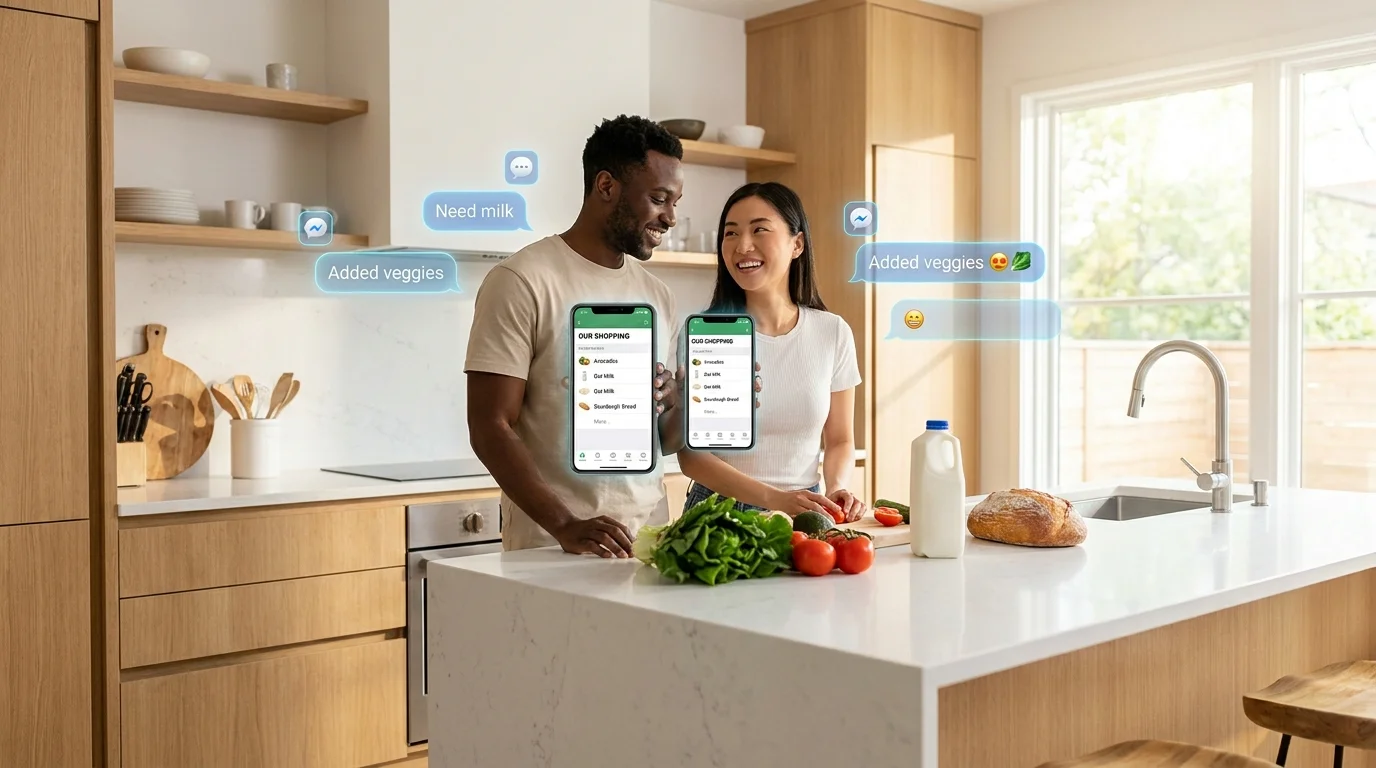
In a Mini App, the logic is different: you're already in the same messenger where you communicate. Send a link to the chat — and the person immediately sees the list and can add items. This reduces the chance that the list turns into a "personal note for one person."
For example, the free mini-app Pickt in Telegram allows you to keep collaborative shopping lists with real-time synchronization — convenient when one person adds items at home and another is already at the store. It opens via the bot @PicktBot or the link t.me/PicktBot/app.
Real-Time Synchronization: Fewer Duplicates and "I Already Bought This"
When multiple people do the shopping, two things are important: the list's accuracy and quick check-offs. A Mini App is often perceived as a "live" list because updates come immediately, without extra steps.
In regular apps, synchronization can also be excellent, but in practice, there are delays, version conflicts, or situations where one person hasn't opened the app — and the changes "don't sync." This leads to duplicates: two loaves of bread, three packs of butter, and unnecessary expenses.
A Mini App is more convenient when you want the list to be a shared "operational screen": added — seen — bought — checked off. This is a direct answer to the query "why a mini app is more convenient than a regular shopping list app" in real life, not on paper.
Notifications and Context in One Place: Fewer Missed Items
Shopping is usually discussed in correspondence: "get cat food," "need batteries," "don't forget water." If the list lives in the same space where the conversation happens, you don't need to switch between apps and keep the context in your head.
A Mini App has a natural advantage: you're already in Telegram, and many notifications (or reminders) feel like part of the dialogue. In a regular app, push notifications can get lost among dozens of others, and the app itself can "fall out" of your usual routine.
If you're choosing what's more convenient: a mini-app in Telegram or a separate app, think about habits. Where you are every day, the chance of using the list is higher.
Saving Space and Less Maintenance: Updates Without User Involvement
Regular apps require space, updates, and sometimes regular fixes after system updates. This isn't a problem for enthusiasts, but in a family, there's always someone with a full memory or disabled auto-updates.
A Mini App usually doesn't ask you to install anything extra. Updates happen on the service side, and the user simply opens the current version. As a result, there are fewer situations like "it doesn't work because of an old version."
Another plus is that it's easier to maintain a consistent experience for all participants. When everyone has the same entry point (messenger) and the same path to the list, there are fewer technical questions and more benefits.
Where a Regular App Might Be Stronger: Offline, Advanced Features, Ecosystem
Mini Apps have limits, and that's normal. If you often shop in places with poor internet or want a full offline mode with reliable local storage, a separate app might be more convenient.
Also, regular apps often offer advanced scenarios:
- barcode scanning and auto-adding items;
- categorization by store, brand, budget;
- expense analytics and purchase history;
- integrations with voice assistants and smart home;
- recipes and auto-generation of a list from a menu.
If this is important to you, a separate app may justify the installation. But for the basic task of "quickly creating and sharing a list," a Mini App is often more practical and easier for everyday use.
What to Choose: Recommendations for Different Cases
The choice depends not on "what's cooler," but on how you shop and with whom. Below are clear scenarios to help you decide.
Choose a Mini App if:
- you need collaborative shopping lists for family/couple/roommates and speed of onboarding is important;
- you want to start in a minute without installation and registration;
- you often shop "on the go" and check off items while moving;
- it's important that the list is next to your correspondence and doesn't get lost among apps.
Choose a regular app if:
- offline mode and stable operation without a network are critical for you;
- you need advanced features (scanner, analytics, recipes, complex integrations);
- you're willing to spend time on setup and want an "all-in-one" tool for shopping planning.
Compromise Option
Sometimes the best approach is to keep a Mini App for quick collaborative lists and a separate app for personal planning and analytics. This way, you don't force your loved ones to learn a complex tool for just a few items.
If you need a simple collaborative list in Telegram with real-time synchronization, try Pickt — it's a mini-app that opens directly in the messenger: t.me/PicktBot/app.
Frequently Asked Questions
Is a Mini App the same as a bot?
No. A bot is a correspondence with commands and buttons, while a Mini App is a mini-application with an interface inside Telegram. It usually looks closer to a regular app but launches without installation.
Is it safe to keep a shopping list in a Mini App?
For everyday data (groceries, household items), this is usually a safe scenario. It's important to choose services with a clear access policy and not to add sensitive data like passwords or banking information to the list.
What if the internet in the store is bad?
If the connection is unstable, a separate app with offline mode might be more convenient. In a Mini App, much depends on the implementation: sometimes the list is partially cached, but guaranteed offline is often a strength of native apps.
Can I use a Mini App if participants have different phones?
Yes, this is actually one of the advantages: a Mini App works in Telegram, and Telegram is available on both iOS and Android. So it's easier to maintain a collaborative list without the "you don't have the right platform" issue.