
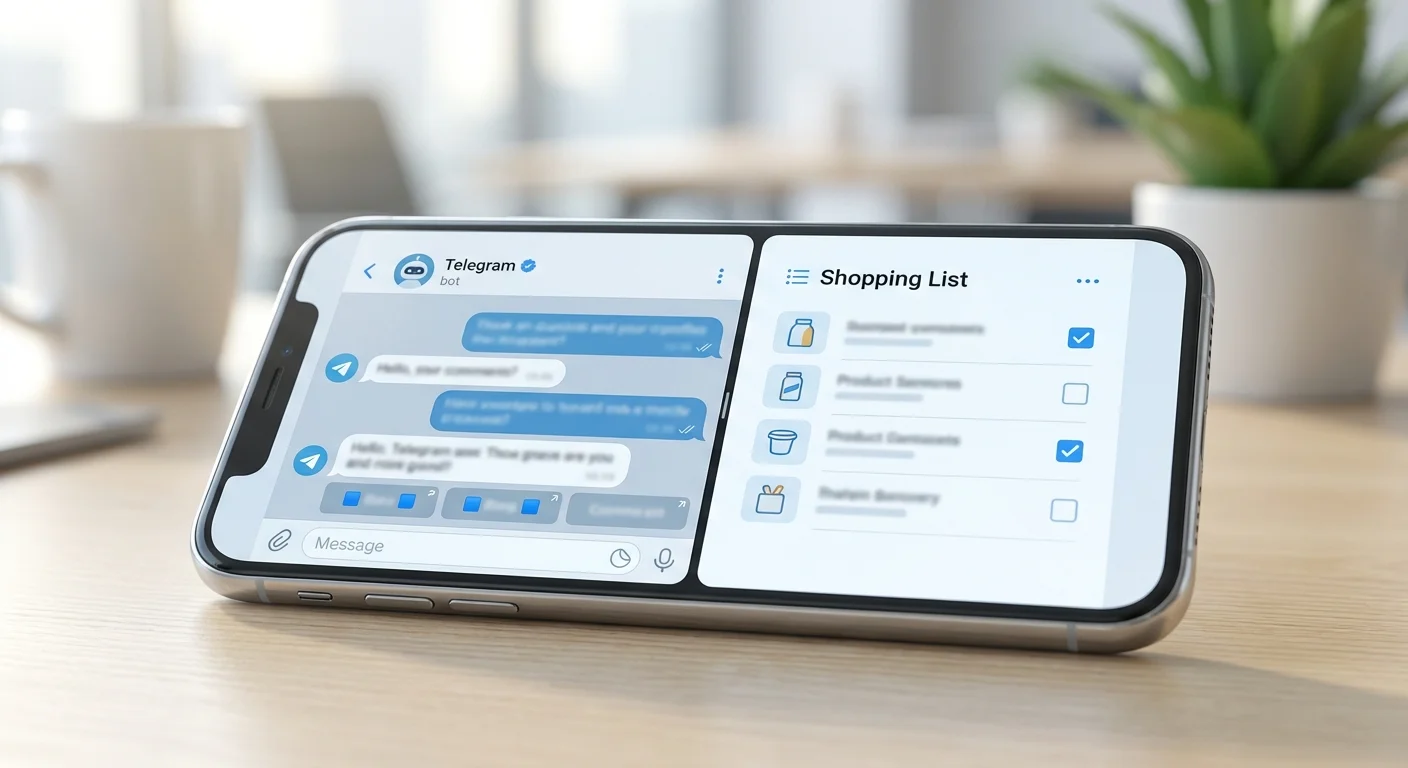
Bots vs Mini Apps in Telegram: What's the Difference and What to Choose
If you use Telegram for more than just messaging, you've likely encountered services "inside" the messenger: food ordering, doctor appointments, polls, notes, shopping lists. Some of them work as regular Telegram bots, while others work as Mini Apps.
From the outside, everything looks similar: you click a button, enter something, get a result. But internally, these are two different approaches with different capabilities, limitations, and use cases.
Below is a practical comparison: what Telegram bots are, what Mini Apps are, which Mini Apps differences are truly important, and what to choose, a bot or an application for your task.
1) What are Telegram bots and how do they work
Telegram bots are accounts that respond to messages according to a set logic. You communicate with a bot in a chat: via text, buttons, sometimes commands (e.g., /start). The bot receives events from Telegram and sends responses back.
The main strength of a bot is simplicity. It doesn't require a separate interface: a dialogue is enough. Therefore, bots are excellent for notifications, quick requests, and "question-answer" scenarios.
Typical bot capabilities:
- commands and buttons (inline/keyboard);
- subscriptions and notifications;
- receiving data in chat (text, photos, files);
- simple forms via a sequence of questions;
- integrations with external services via API.
But the chat format also has limitations. When there's a lot of data (catalogs, tables, lists with filters), the dialogue turns into a "wall" of messages. It becomes harder for the user to navigate, and for the developer to maintain convenience.
2) What are Mini Apps: an application interface inside Telegram
Mini Apps (mini-applications) are web applications that open directly in Telegram. Essentially, it's a full-fledged interface: screens, fields, switches, lists, search, cards — everything like in a regular mobile app, but without installation from the App Store/Google Play.
Mini Apps are launched from a chat with a bot or via a button, but then the user interacts not with a "conversation," but with the application interface. This is the key difference that affects convenience in complex tasks.
What usually works better in Mini Apps:
- complex scenarios with large amounts of data (catalogs, orders, lists);
- fast navigation between sections;
- visual controls (checkboxes, sorting, filters);
- a more "app-like" user experience.
Important: A Mini App doesn't replace a bot. Often it's a combination: a bot is needed for entry, notifications, and quick actions, while the Mini App is for the main work.
3) Mini Apps differences from bots: comparison by key criteria
To avoid choosing "by feel," it's more convenient to compare the formats by several practical criteria. Below are the things that most often affect the product and user experience.
Interface and convenience
Bots are strong in simplicity: open a chat — perform an action. But when you need to edit many entities (e.g., dozens of items), the chat starts to get in the way: many messages, hard to return to the right place.
Mini Apps win where visual structure and speed of work are important. In an app, it's easier to show a list, highlight important things, add search and bulk actions.
Scenario speed and "friction"
A bot's scenario is often linear: the bot asks questions, the user answers. This is convenient for forms and polls, but slow for tasks where data needs to be changed frequently.
A Mini App allows actions "in one tap": mark, delete, drag, filter. Fewer steps — fewer errors and drop-offs.
Notifications and re-engagement
A strong point of bots is notifications in the chat. It's a natural channel: reminders, order statuses, event messages.
A Mini App usually also relies on a bot for notifications. Therefore, in a combination, you can get the best of both worlds: application interface + communication via chat.
Support for group scenarios
If the task involves collaboration (family, team, friends), then synchronization, data relevance, and clear roles are important. This can be implemented in a bot, but the interface often becomes too "chatty."
Mini Apps are more convenient for collaborative scenarios: you can show a shared list, statuses, who marked what, and update data without spamming messages.
Development and maintenance
A bot is usually faster to launch: logic + message handling. A Mini App requires a frontend interface, designing screens and UX, but then it's easier to scale functionality without turning the chat into a complex quest.
If the product grows (new sections, settings, history, analytics), a Mini App often proves to be a more stable foundation.
4) What to choose: a bot or an application (Mini App) — a quick checklist
If you're choosing a format for your service or just want to understand why one tool is more convenient than another, use this short guide.
Choose a Telegram bot if:
- you need notifications, reminders, statuses;
- the scenario is simple and linear (poll, registration, support);
- there's not much data, and it's convenient to enter it as text;
- maximum "quick start" without a complex interface is important.
Choose a Mini App if:
- there are lists/catalogs/tables and many actions on them;
- filters, search, convenient editing are needed;
- collaboration and visibility of changes are important;
- the product plans to grow and become more complex.
In practice, a frequent answer to the question what to choose, a bot or an application sounds like: "both." A bot — for entry and communication, a Mini App — for the main logic and interface.
5) Task examples: where bots are better, and where Mini Apps win
To solidify the differences, it's useful to look at real scenarios.
When a bot is better
Support and consultations, collecting applications, delivery notifications, meeting reminders, quick commands. Where dialogue is a natural form of interaction, a bot feels "native."
When a Mini App is better
Shopping, task management, bookings with slot selection, financial operations with history, services with many entities. In such cases, the interface is more important than correspondence.
Mixed format — the most viable
Many products benefit from a combination: a bot sends important things and brings the user back, while a Mini App provides a convenient working screen. This reduces the load on the chat and makes the service clearer.
Conclusion
Telegram bots and Mini Apps solve different tasks. Bots are about dialogue, simple actions, and notifications. Mini Apps are about interface, speed of working with data, and complex scenarios without "walls" of messages.
If you need to regularly maintain a shared list and see changes immediately, the mini-application format is usually more convenient. For example, Pickt — a free mini-application in Telegram for shared shopping lists with real-time synchronization: you can open it directly in the messenger via the link t.me/PicktBot/app.